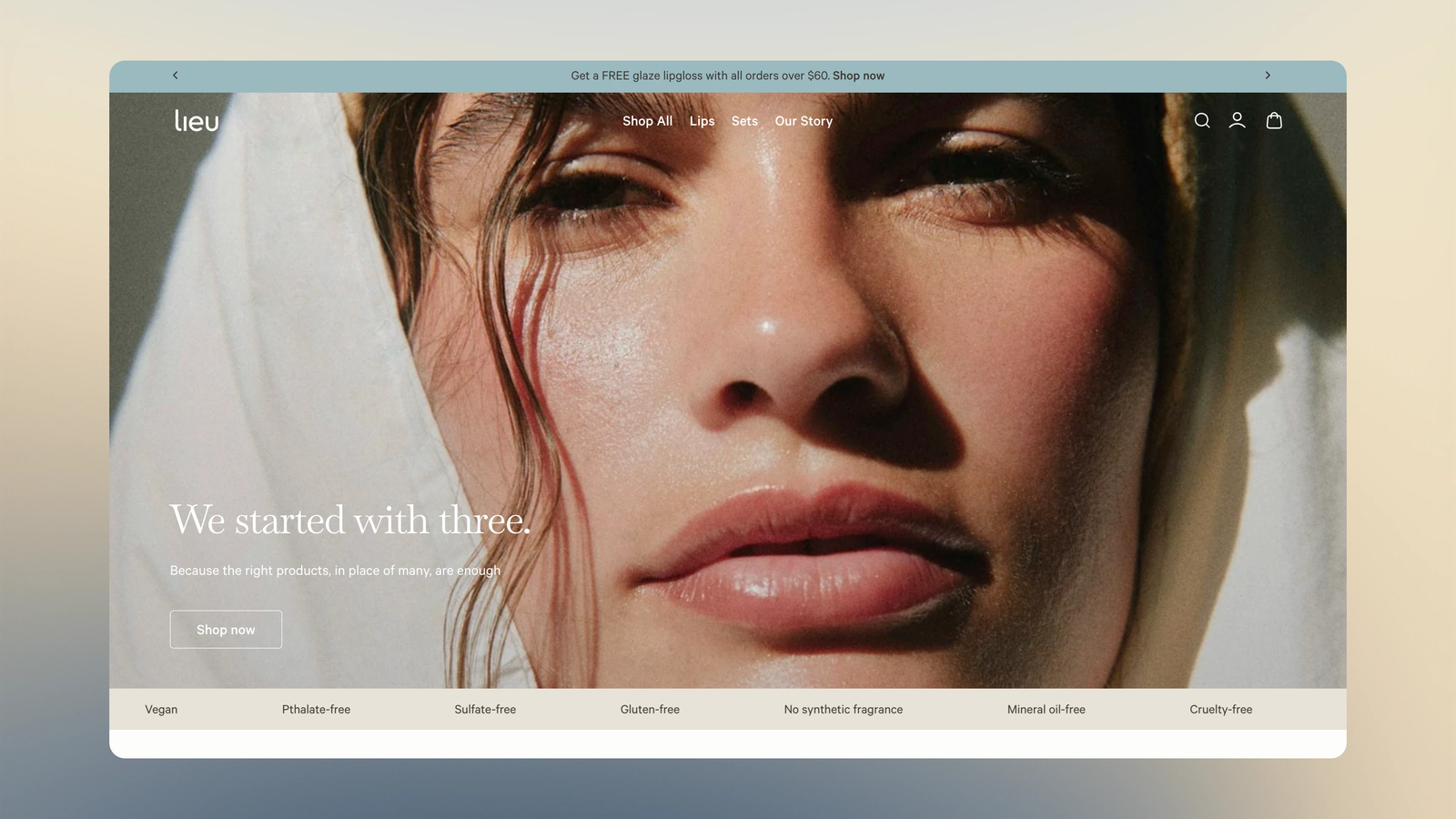
Background
Lieu Beauty is a new, clean and minimal brand in the beauty space, offering lightweight lipstick and lip gloss for daily use. The founder, Lulu Chen, worked closely with Andy from Studio Andiamo on the branding and design for their primary sales channel—the Shopify online store.
They were looking for someone who could bring their vision for the online store to life, and that’s when they brought me into the process.
"Working with Yoon was such a great experience! He was professional, responsive, and incredibly patient throughout the entire website development process. Communication was always clear, and he was able to bring my vision to life while also providing helpful suggestions along the way. I really appreciated his attention to detail and willingness to make adjustments until everything felt just right. I’m very happy with the final website and would definitely recommend working with Yoon!"
From Figma To Code
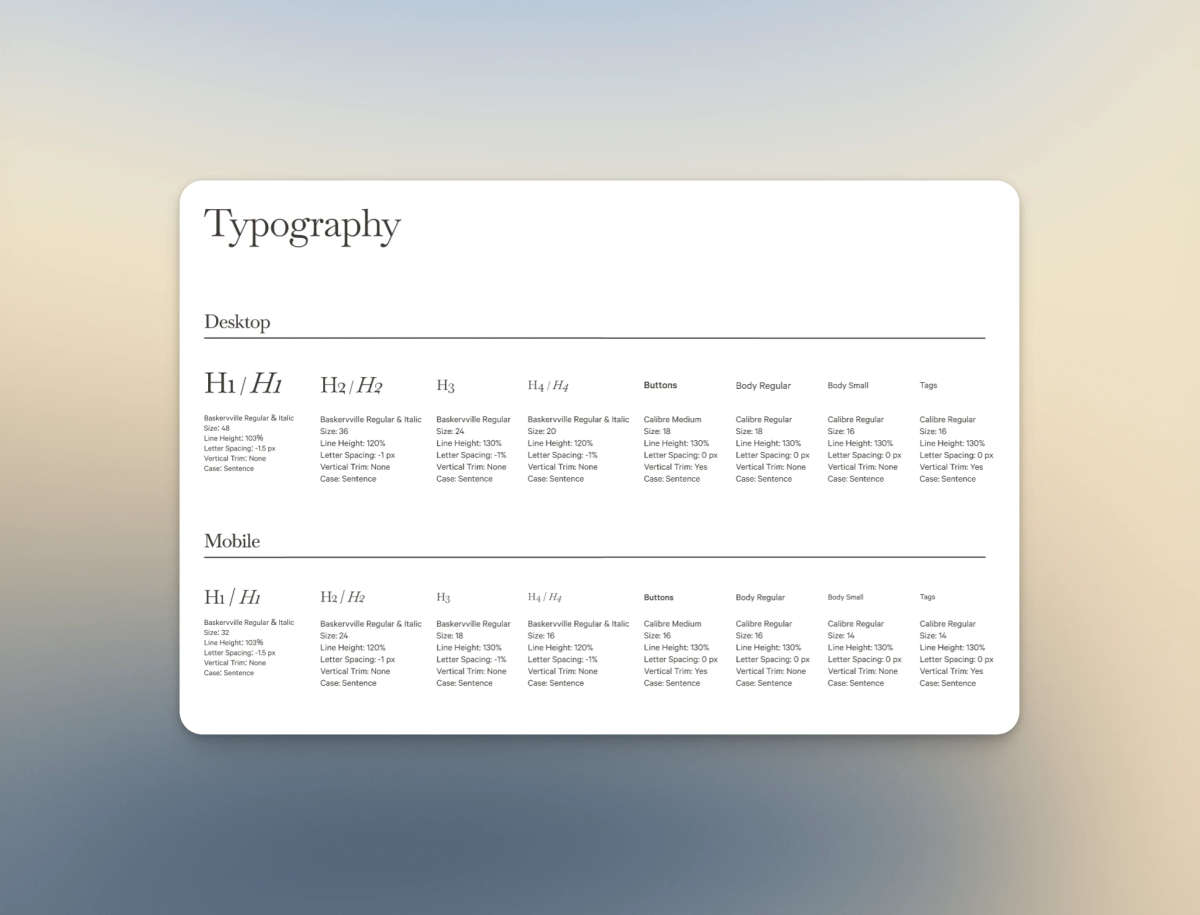
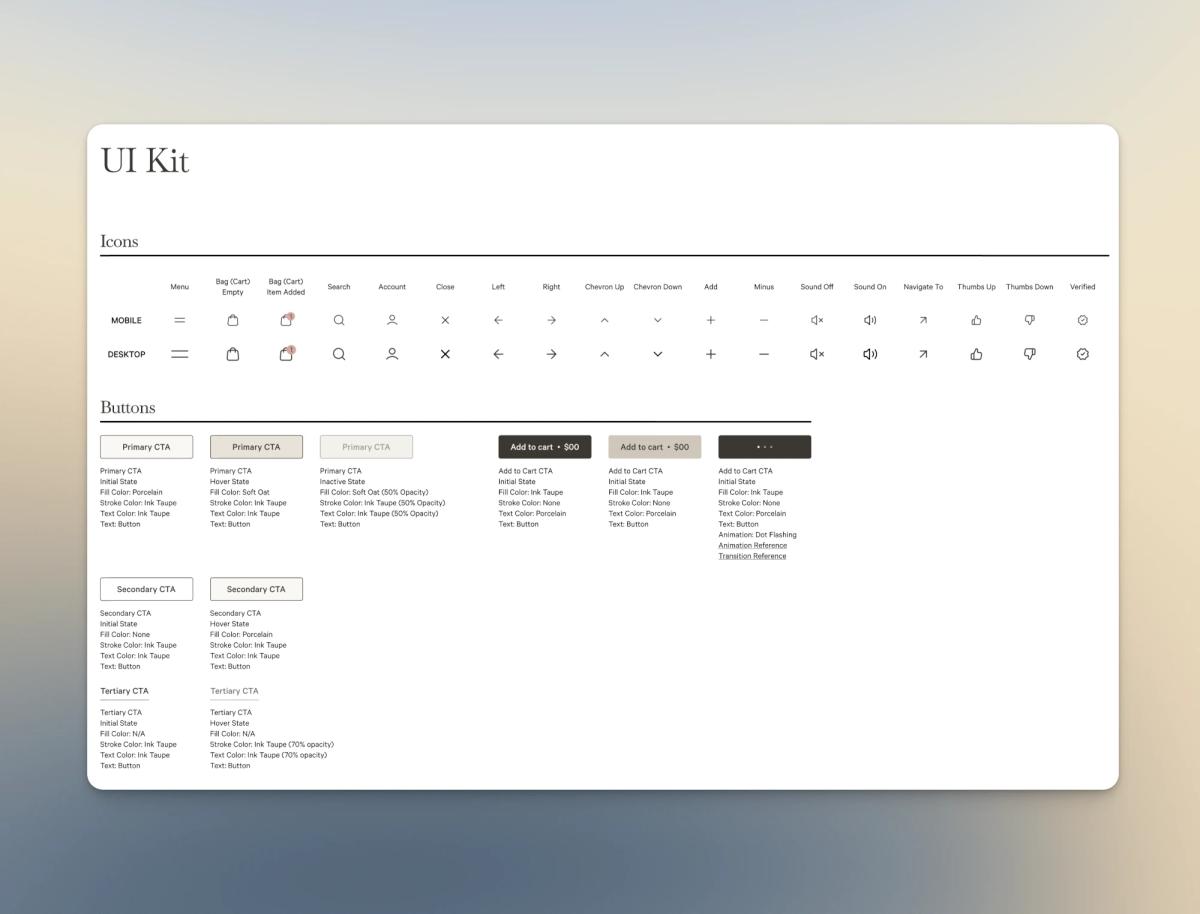
When Andy reached out to me, a comprehensive design system and mockups were already established, and everything was dev-ready.
I was able to quickly identify all the pieces needed, and after a few questions and discussions, we moved into the development stage.
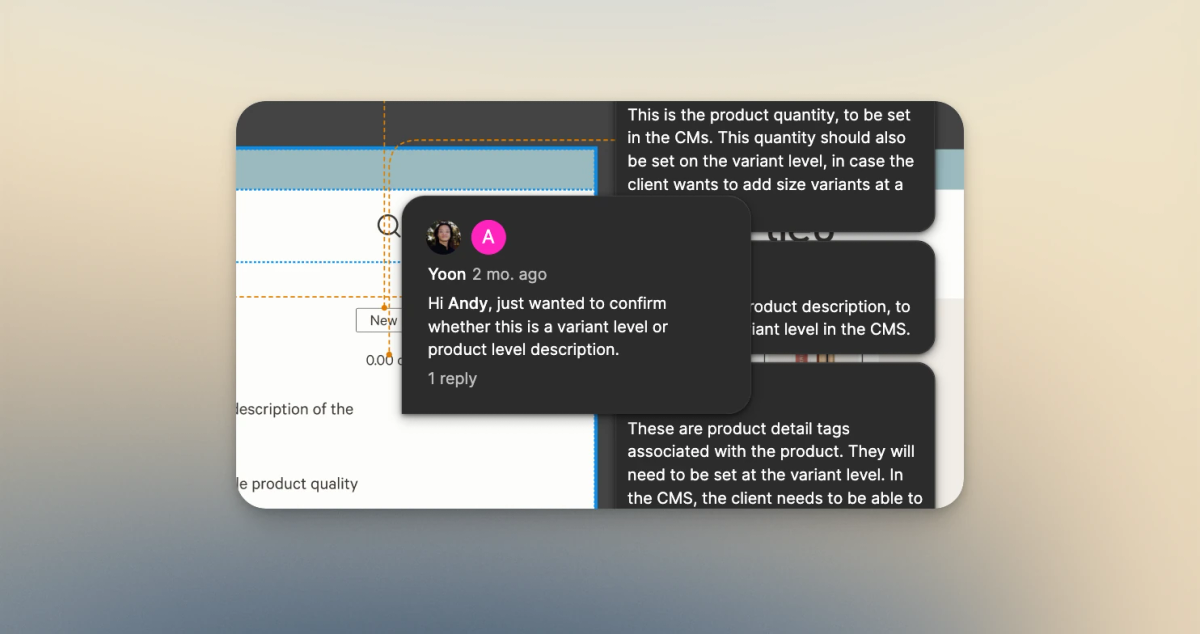
But translating a detailed design into Shopify is not only about making the storefront look like the Figma mockups. We also had to think about what happens after development – how Lulu would manage products, content and different parts of the storefront on her own. That became an important consideration throughout the build.
Development
From the very beginning of the project, Andy was clear that the website had to be editable by Lulu. Thanks to Shopify’s metaobjects, metafields and latest Theme Block feature, we were able to achieve that.
Theme Block – Structured, with Maximum Flexibility
Theme Block allow developers to break an element into smaller components, giving merchants more flexibility when editing their storefront without having to touch any code.
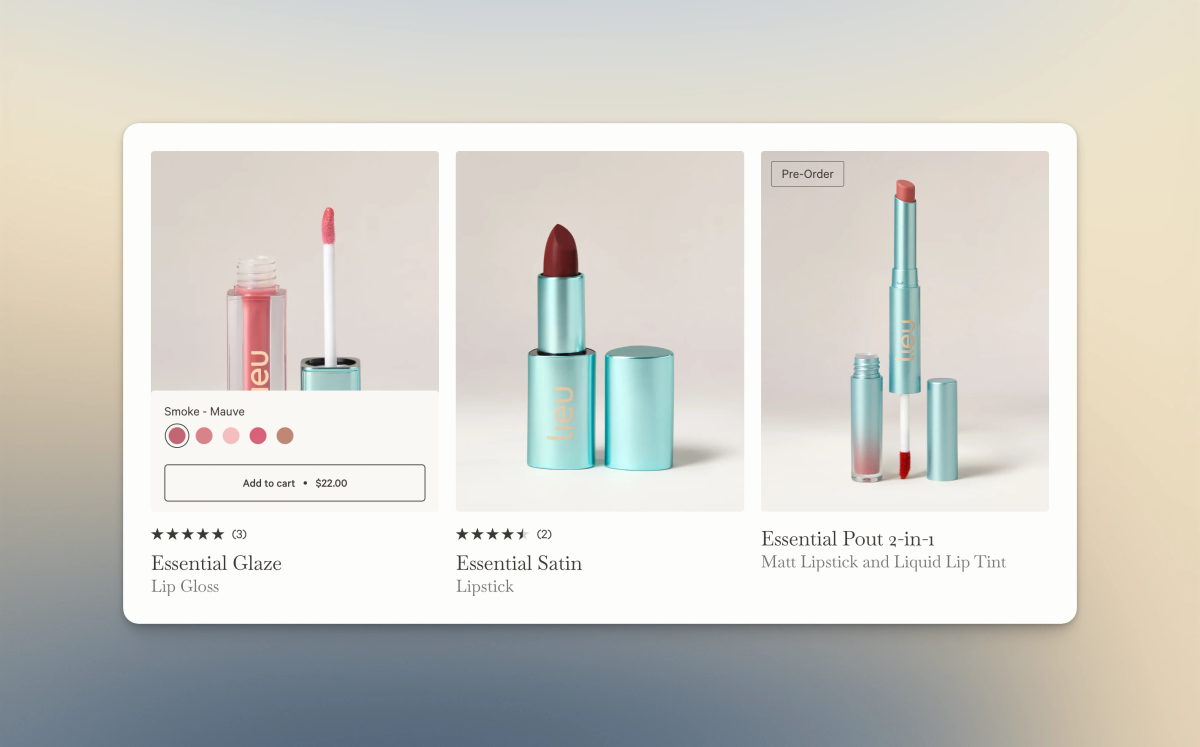
A good example is the product card.
Lulu can rearrange the components within a product card directly in the Theme Editor. Without Theme Block, she would have to reach out to me to make the code change. Now, she can make those adjustments herself.
To read more about sections and blocks, here is the official Shopify help documentation.
{% liquid
  assign product = closest.product
-%}

{% capture children %}
  {% content_for 'blocks', closest.product: product %}
{% endcapture %}

{% render 'product-card', children: children, product: product %}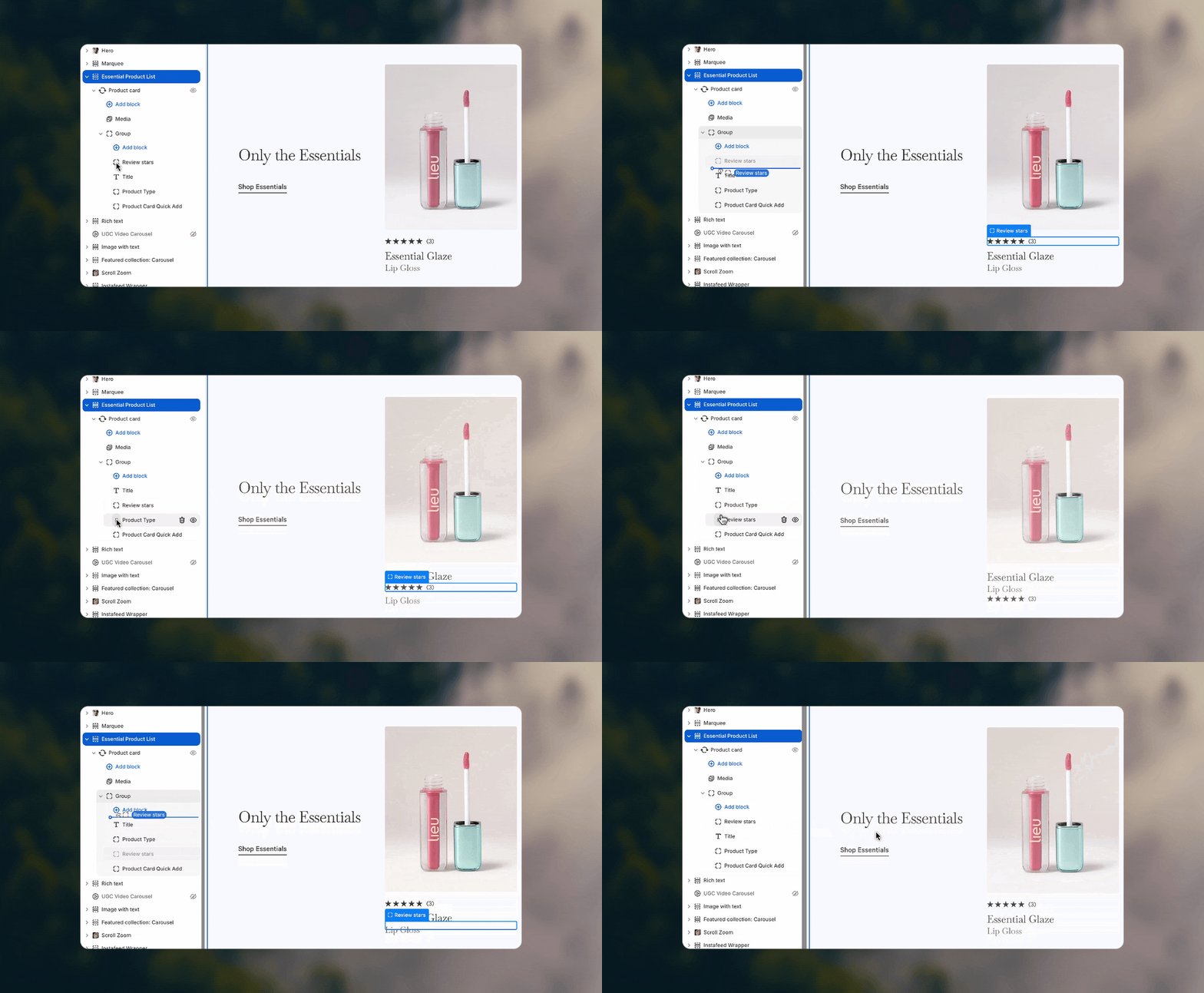
But layout flexibility was only one part of the editing experience. We also needed a good way to manage all the product-specific data and configuration behind the storefront.
Metaobjects and Metafields – Data and Configuration Hub
The Theme Editor is where you edit how your storefront looks, while metaobjects and metafields are where much of the dynamic data and configuration for the storefront can live.
Beauty brands usually have plenty of information to showcase on the storefront, from ingredients and product qualities to variant-specific imagery and other product details. All of these need to be taken into consideration when planning the architecture of the store. For Lieu Beauty, metaobjects and metafields became a central part of that architecture.
Let’s look at a few cases where I used metaobjects and metafields throughout the Lieu Beauty website.
Variant Images using Metafield
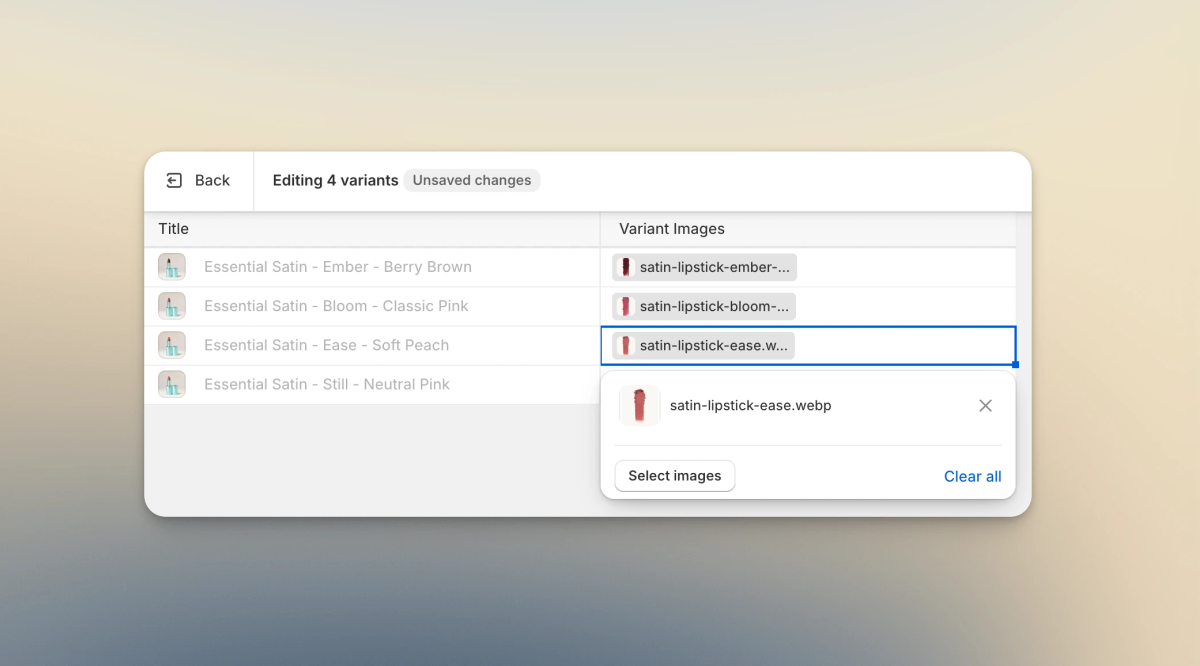
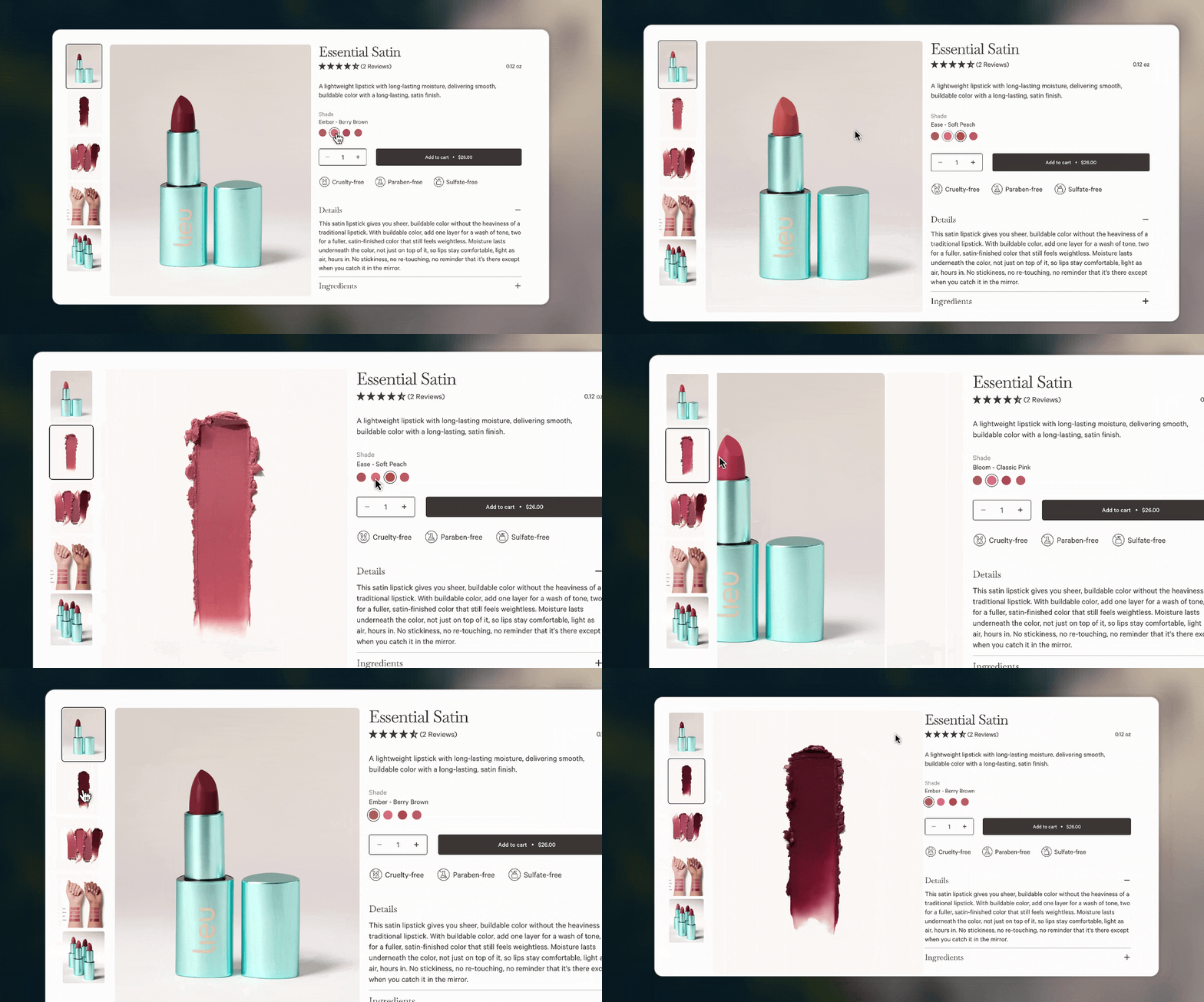
Shopify supports assigning a featured image to each variant, but Lieu Beauty needed to showcase multiple images for each variants. This is particularly useful for products like lipstick and lip gloss, where customers may want to see a shade or product from different angles.
With metafield, we are able to assign the extra variant images to the each variants and show them on the storefront based on the selected variant.
Product Quality Tag Using Metaobject and Metafield
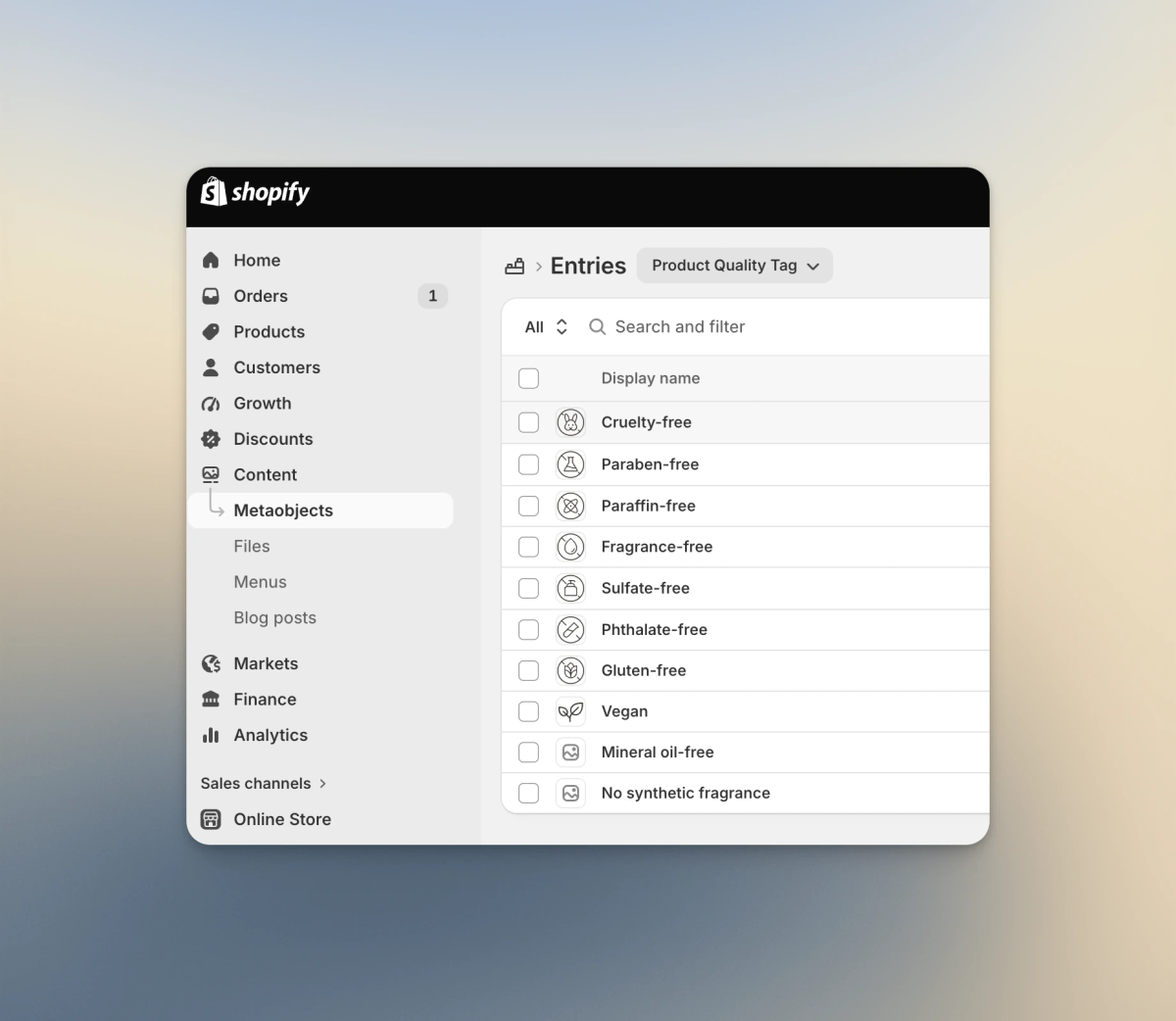
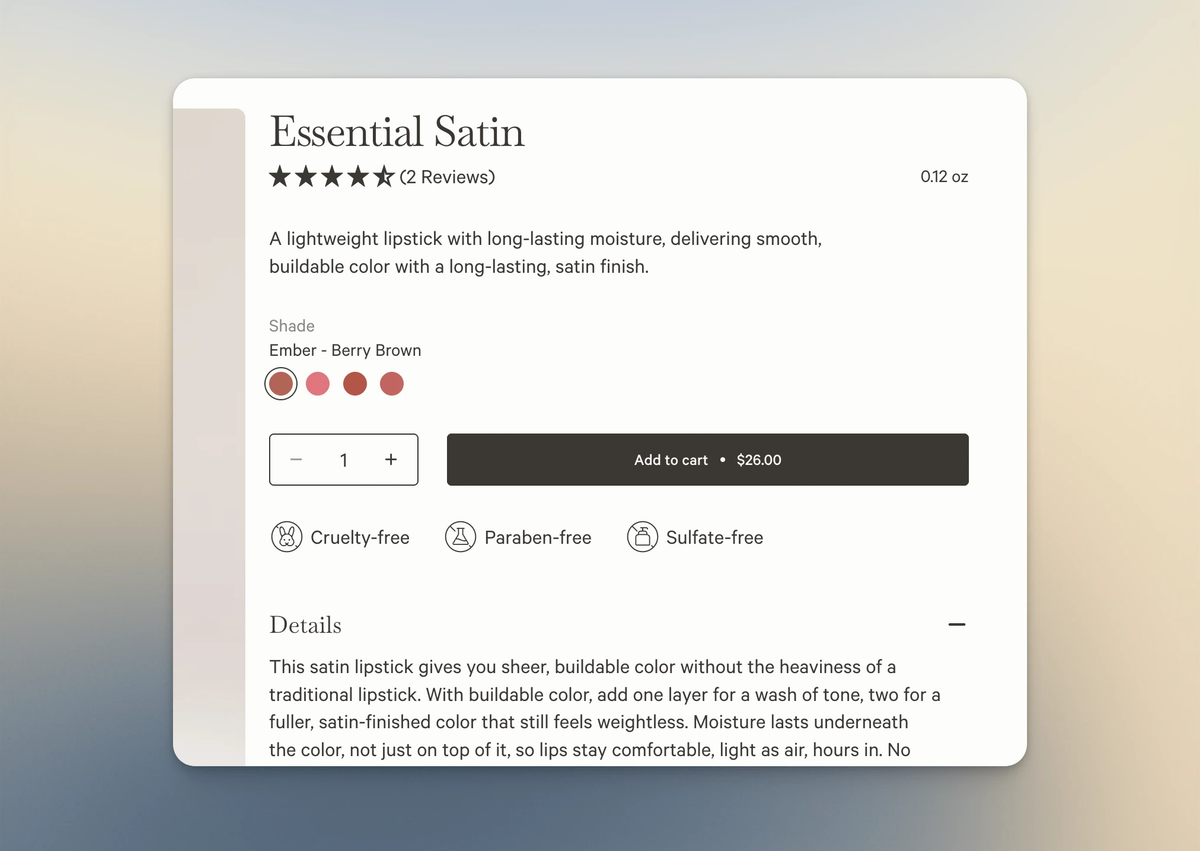
Lieu Beauty has a set of quality tags to highlight the qualities of each product. Instead of adding them as individual text fields, I created them as reusable metaobject entries that can be assigned to each product through a metafield. This gives Lulu one central place to manage the available tags and makes it easy to add, remove or reuse them across different products. It’s a relatively small detail on the storefront, but structuring the data this way makes it much easier to maintain behind the scenes.
// This is an example

{% for tag in closest.product.selected_or_first_available_variant.metafields.theme.product_quality_tag.value -%}

// actual code

{% endfor %}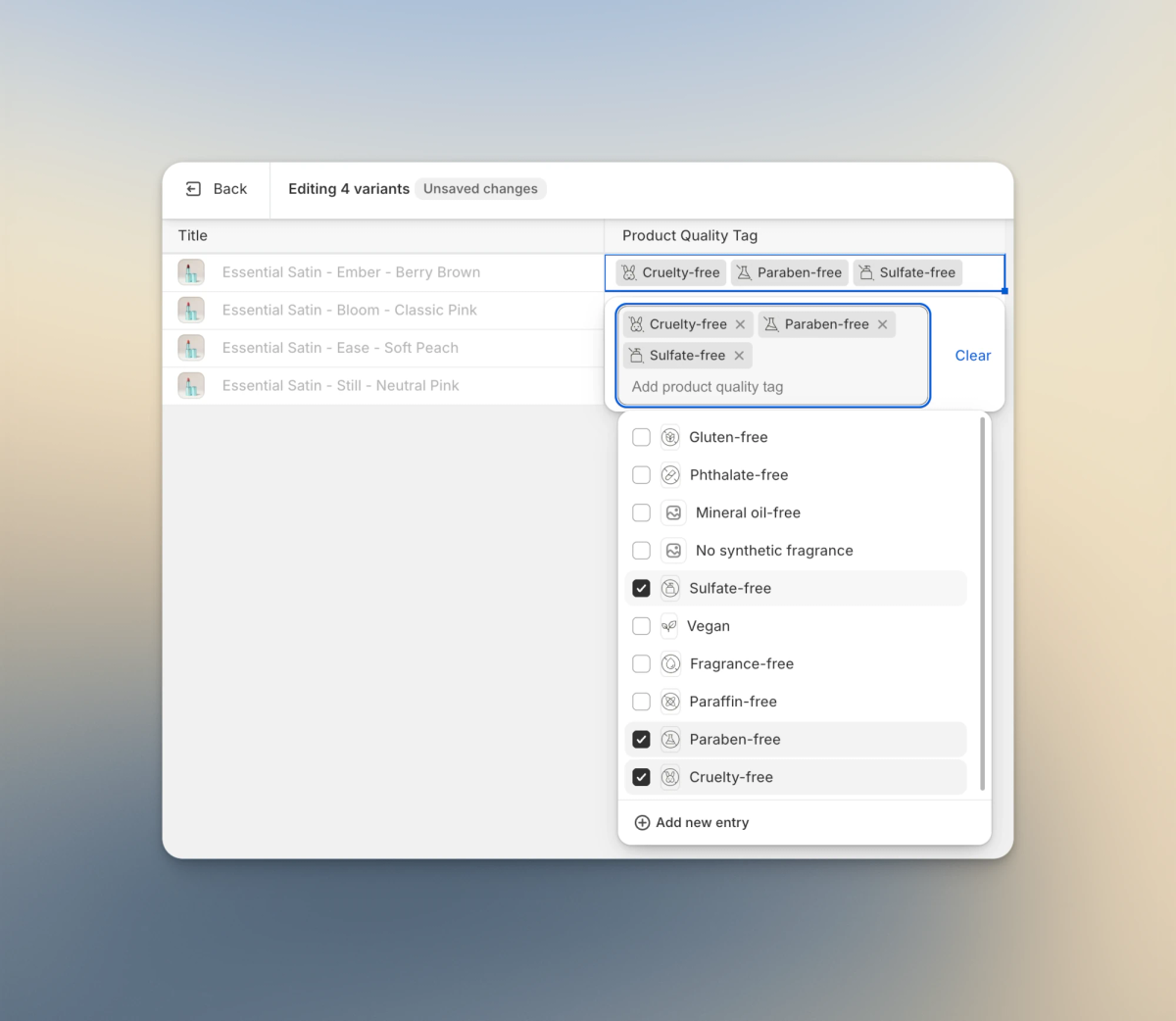
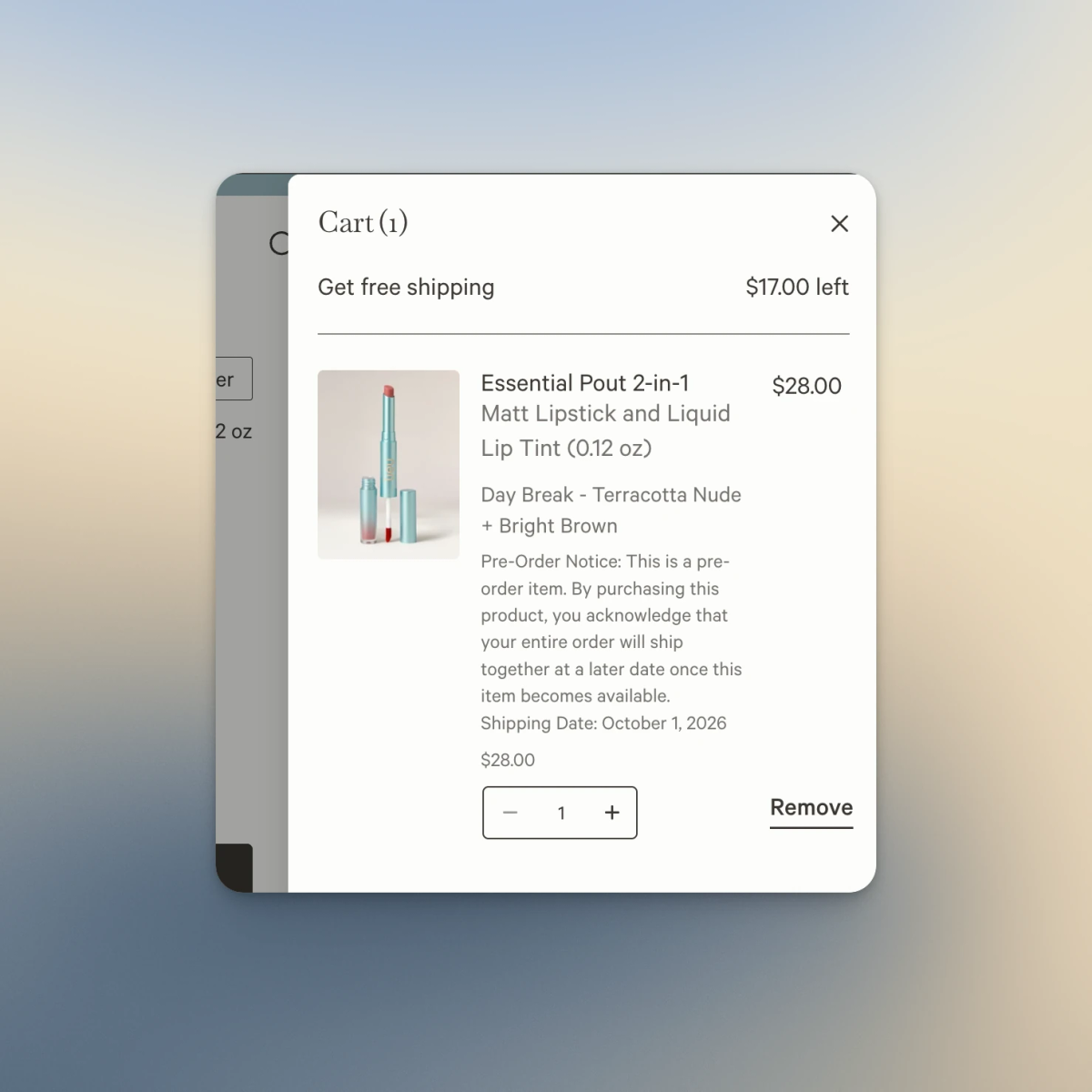
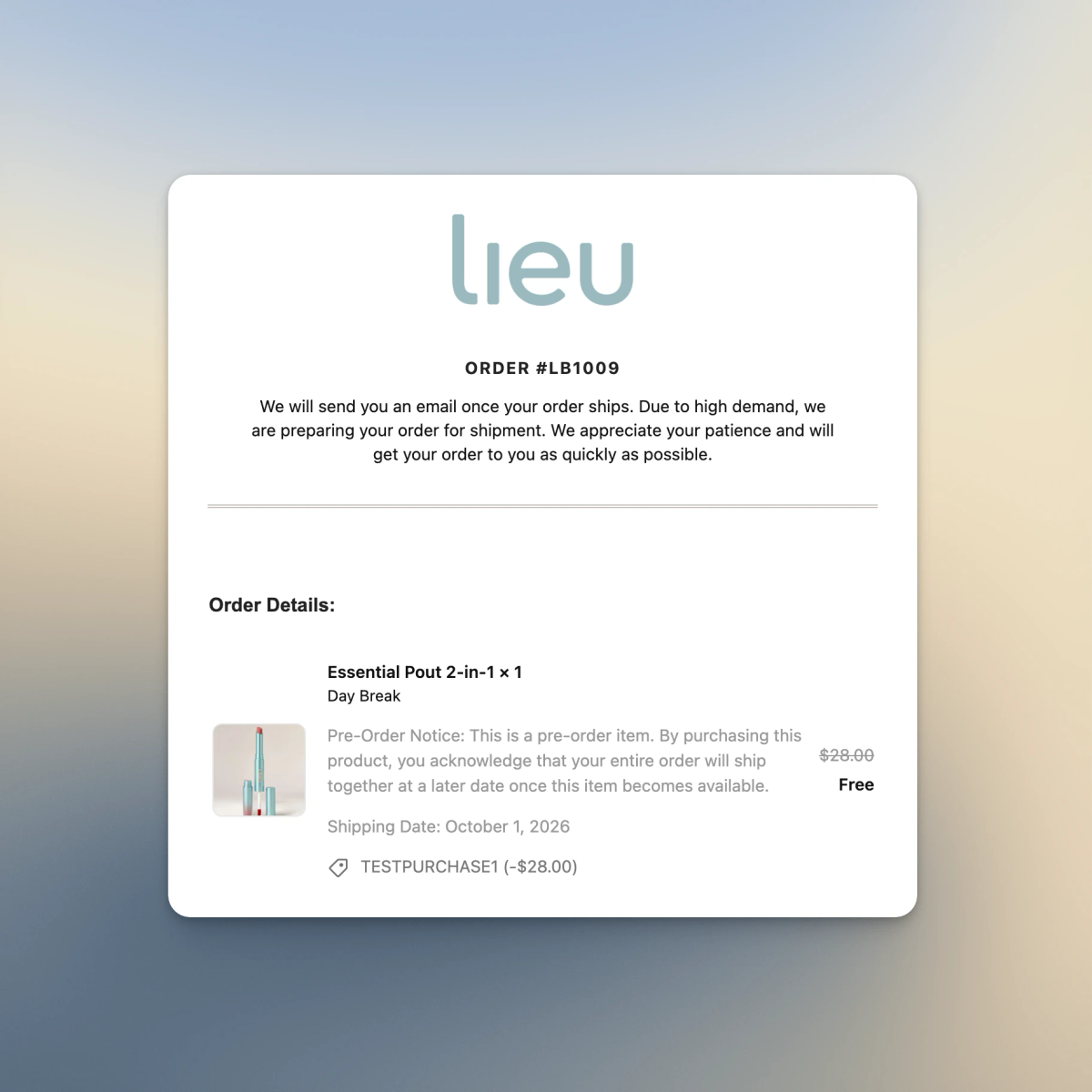
Pre-Order Using Metafield
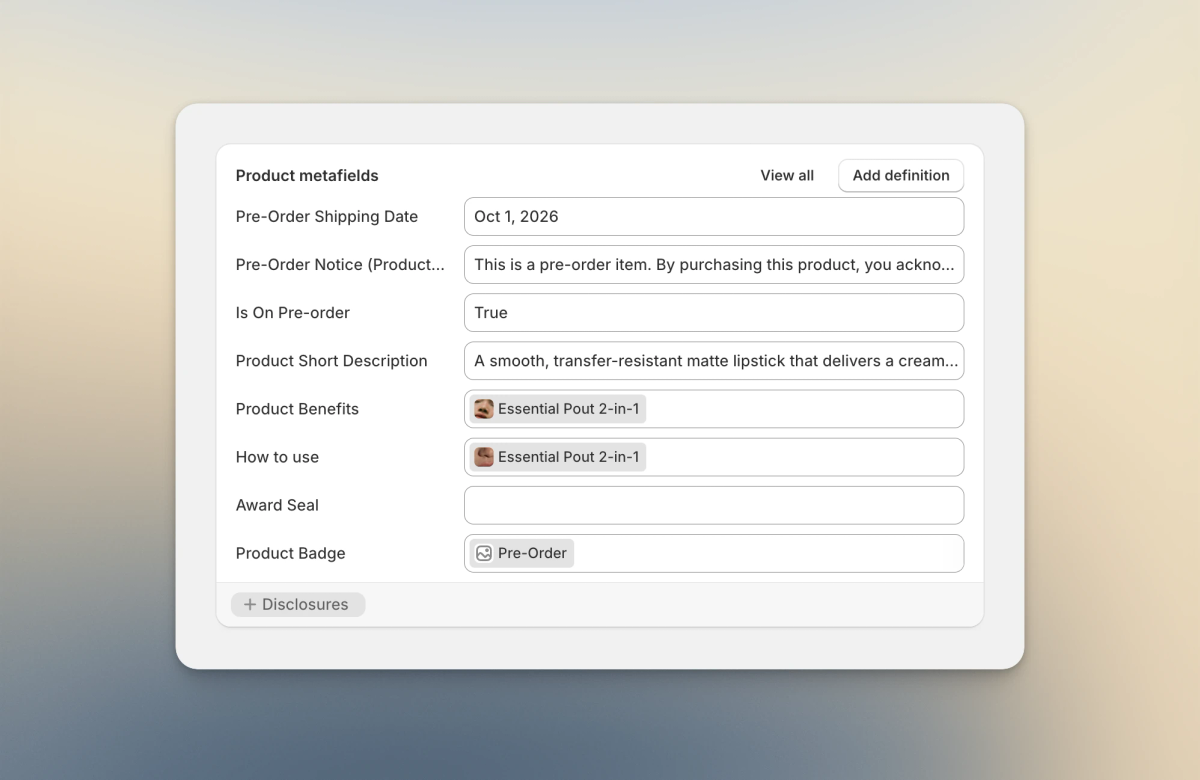
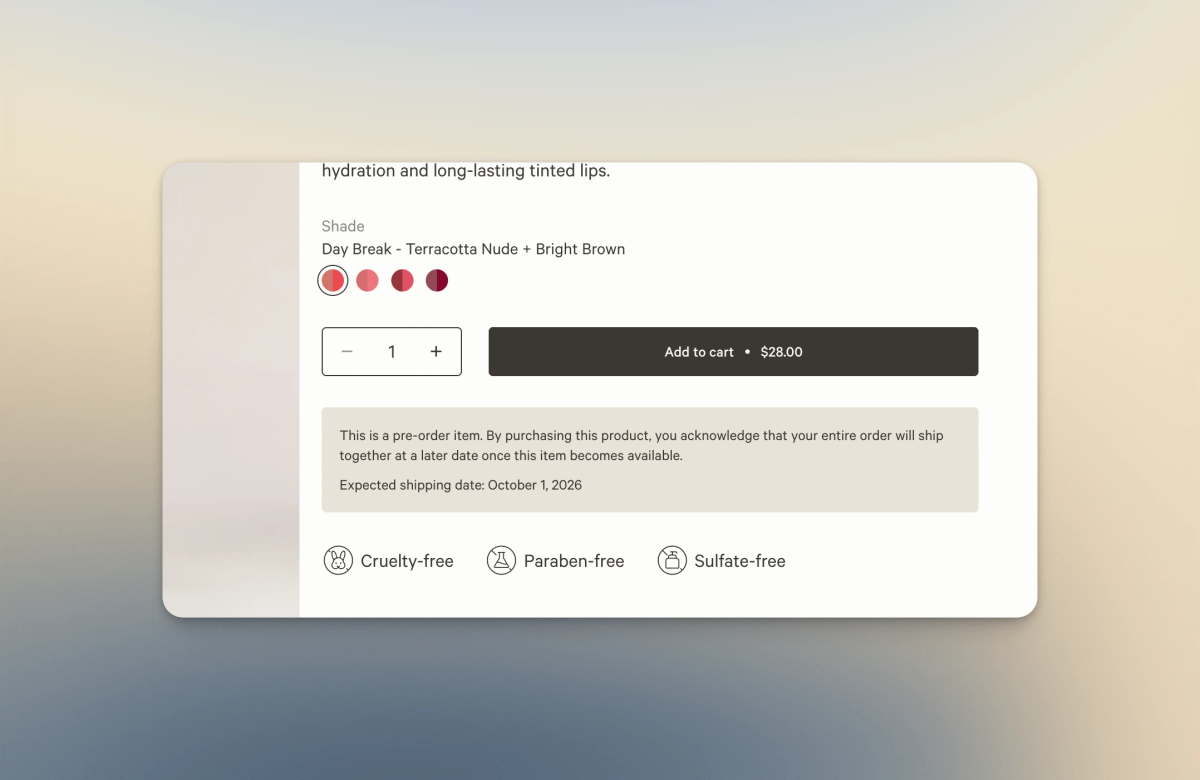
One of the products is on pre-order during launch. We use a metafield to determine whether a product is available for pre-order, along with the expected shipping date.
That pre-order information is then used across the product page, cart, checkout and order confirmation email to make sure customers are aware of the pre-order status throughout their purchase.
{%- assign product_form_id = 'BuyButtons-ProductForm-' | append: section.id -%}

{% render 'product-pre-order', pre_order_product: closest.product, block: block, product_form_id: product_form_id %}
Dynamic Sections On Product Page
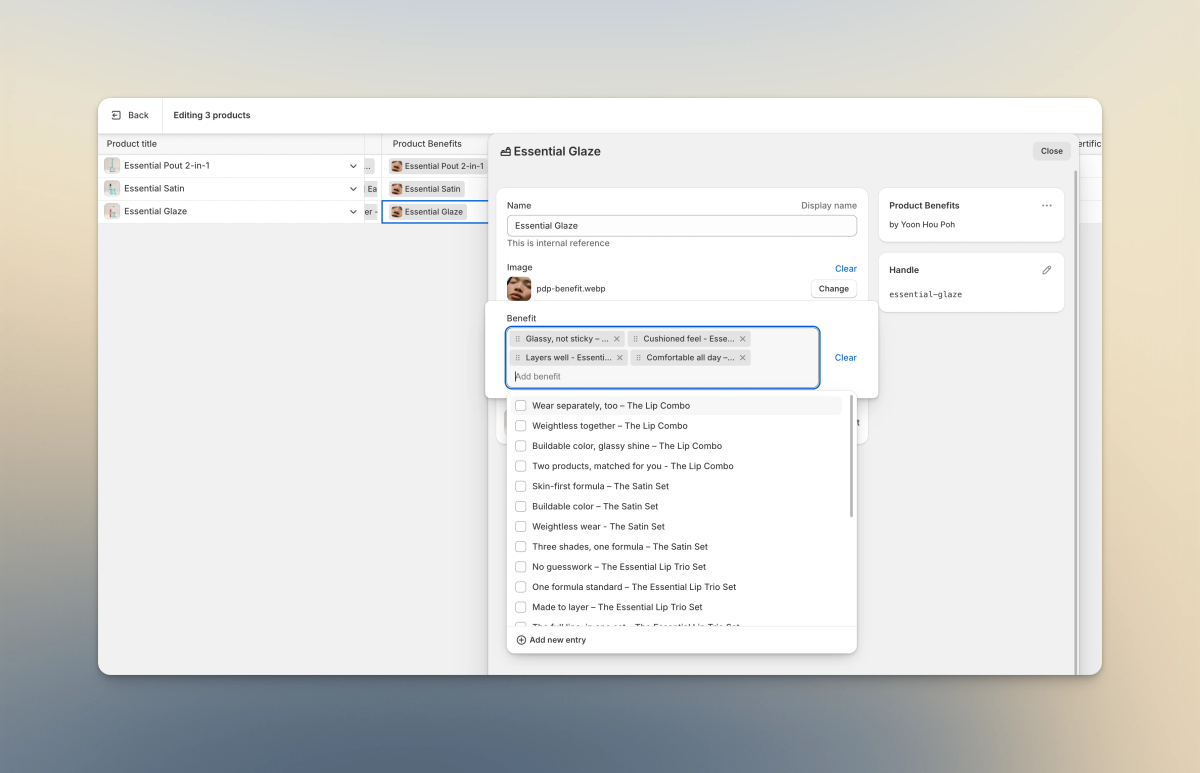
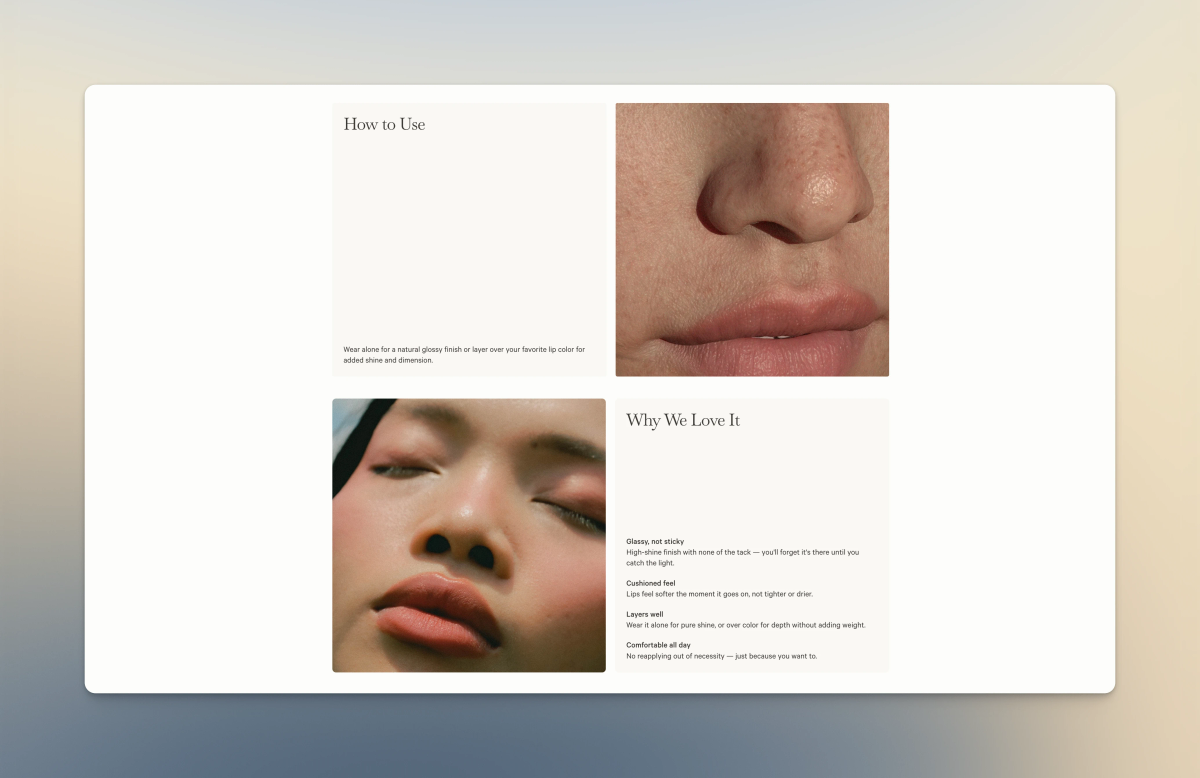
Lieu Beauty needs to have different content for two sections on their product page.
Guess what? Metaobject and metafield come to the rescue again. Instead of creating and managing different product templates in the Theme Editor, content can be assigned directly to each product.
More From The Build
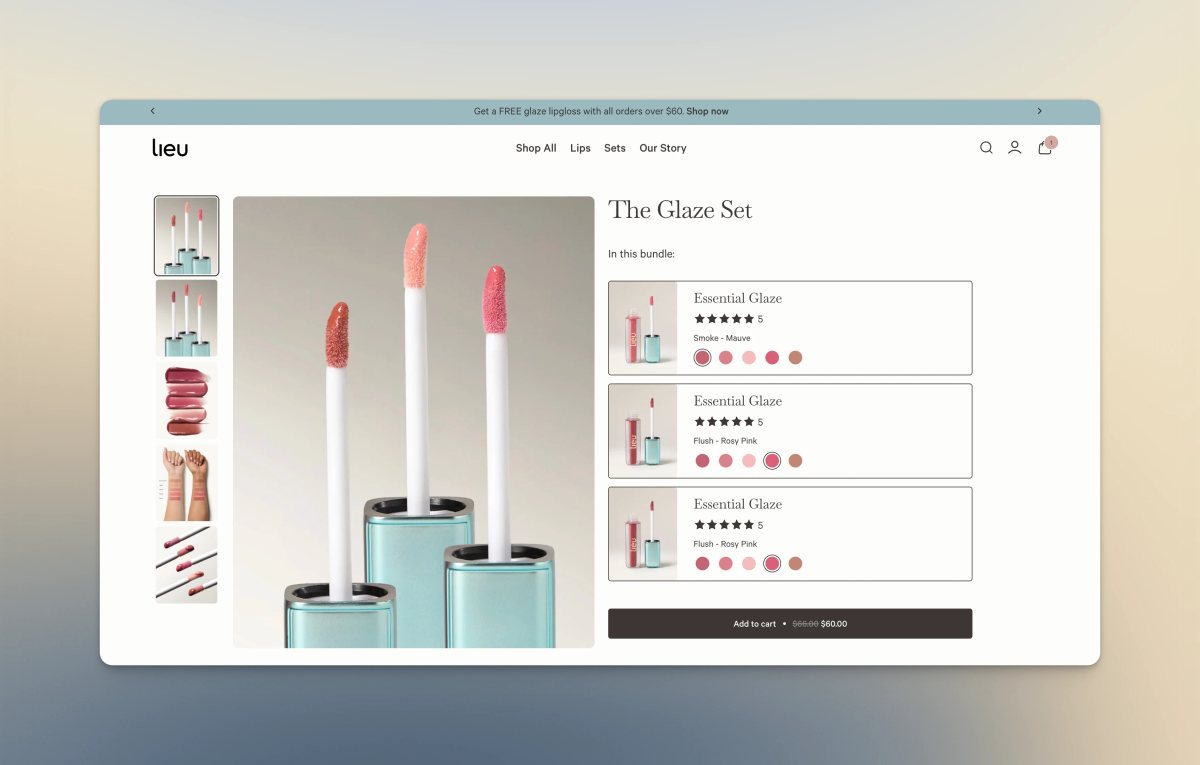
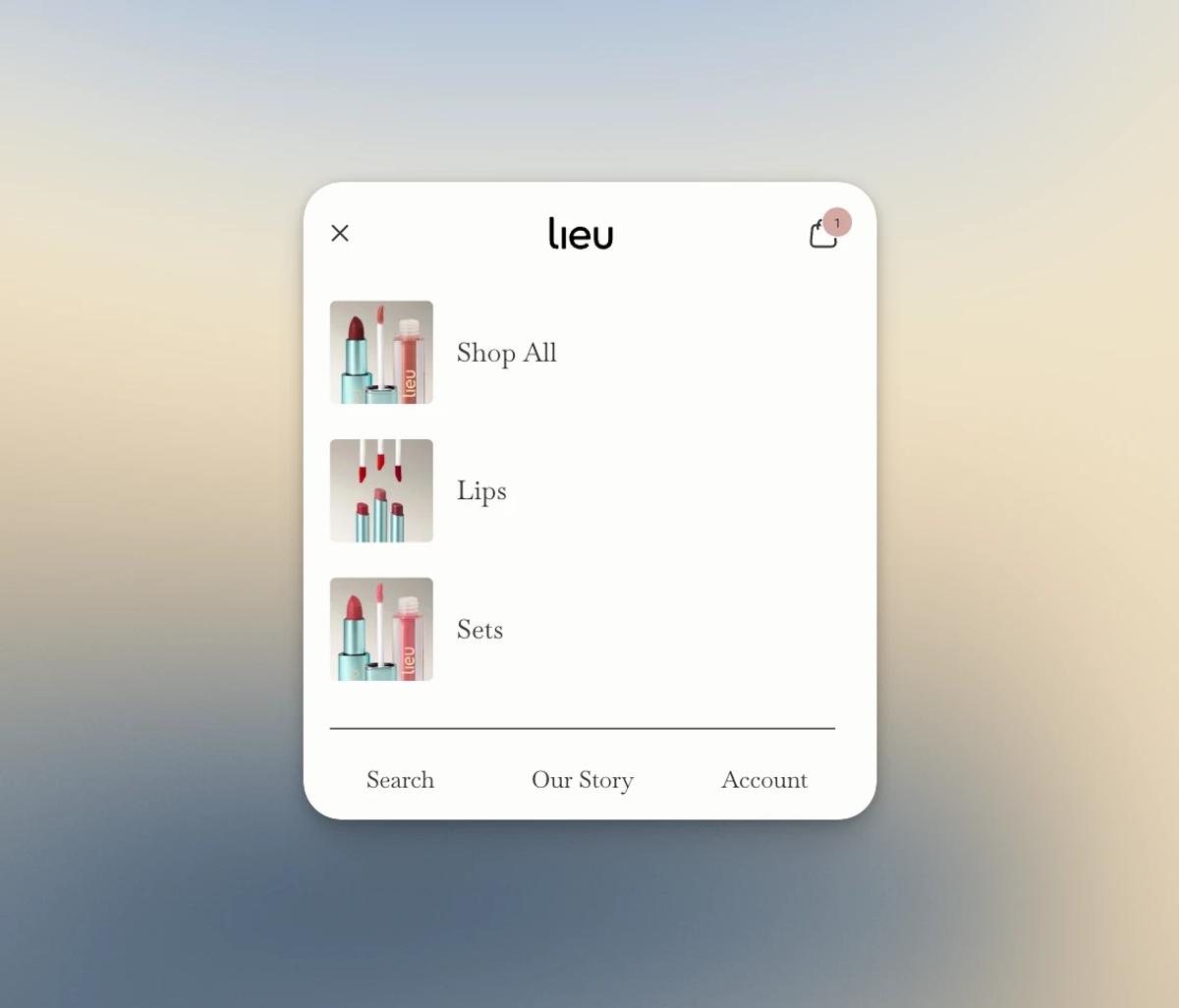
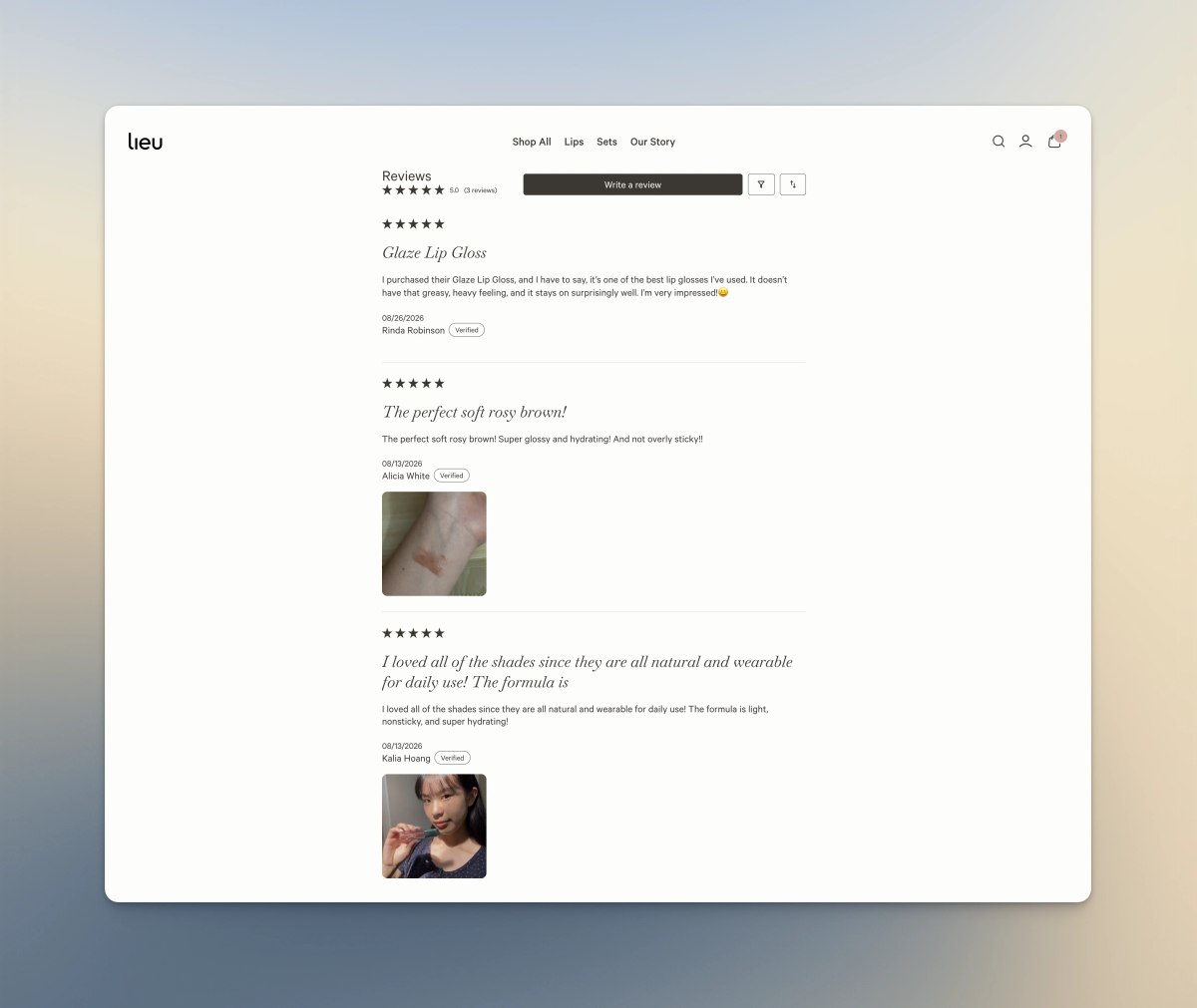
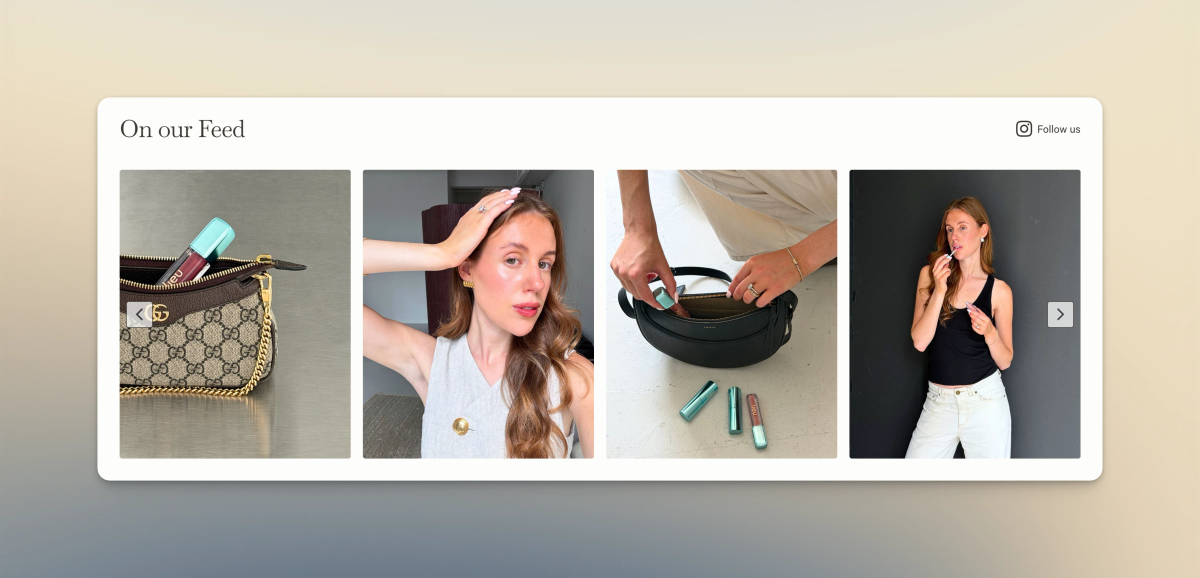
Beyond the data architecture and editing experience, there were plenty of other details that went into bringing the Lieu Beauty design to life. Here are a few more pieces from the build.
Bringing It All Together
Lieu Beauty was a fun project to bring to life, and I’m grateful to have been a part of it. The designs were already incredibly thoughtful and detailed, so a big part of my job was making sure that same level of thought carried through to the development and the editing experience behind the storefront. The project wasn’t just about recreating the designs in Shopify. It was also about thinking through how the different pieces should be structured so that the storefront remains flexible and manageable for Lulu as Lieu Beauty continues to grow.
Thanks for reading! If you’re looking for someone to build or improve a Shopify storefront like this, let’s connect. Schedule a call here or contact me here.