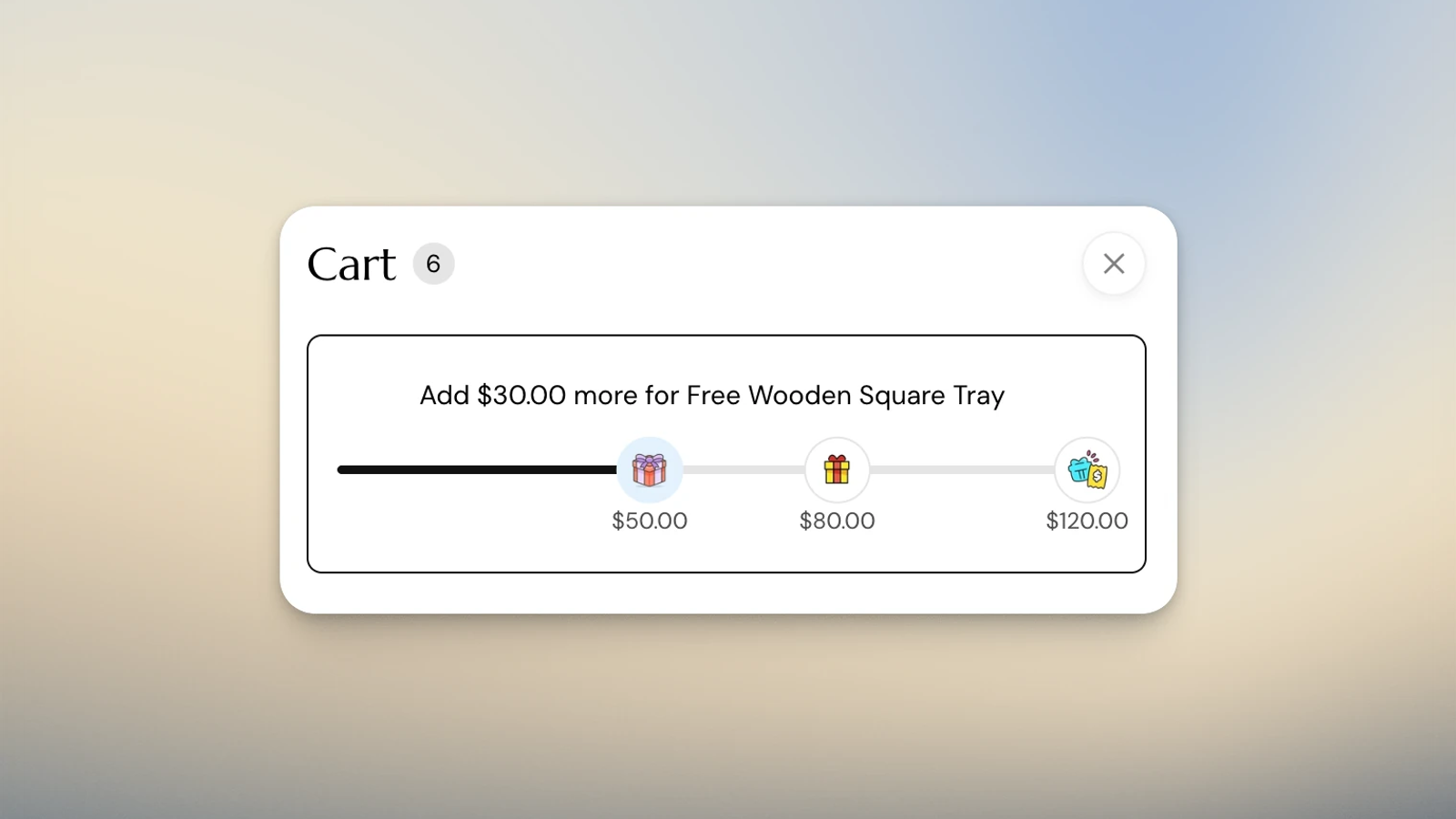
I often see this question in the Shopify space: How do I automatically add a free gift to the cart with a BXGY discount?
Shopify supports Buy X Get Y (BXGY) discounts, which can be used to offer a free gift. But even after all these years, there’s still no native way to automatically add that free gift to the customer’s cart once they qualify.
Native BXGY discounts also get tricky when you need to run the promotion across countries with different currencies. The discount amount is configured using the store currency, rather than an exact amount in the customer's local currency.
For example, the store currency is USD, but we want to run a campaign in Canada where customers receive a free gift when they spend exactly CAD$100. The discount amount is based on a converted USD threshold, so currency fluctuations make that harder to control.
So what can we do if we want to run a multi-tier, country-specific free gift campaign? There are different ways to approach this problem. But for this implementation, I'm taking a slightly different route from BXGY altogether.
I'll set up the gifts as unlisted $0 product variants and use custom storefront logic to determine when those variants should be added to or removed from the cart. This gives us tighter control over the experience and solves the threshold issue without using an additional app for complex discount logic.
One important guardrail: Unlisted products can still be accessed through a direct URL. For $0 gift products, I recommend using a dedicated product template that hides the Add to Cart button to prevent customers from adding the gift directly. Shopify also recommends customizing the product page for this use case. Shopify's documentation on unlisted products
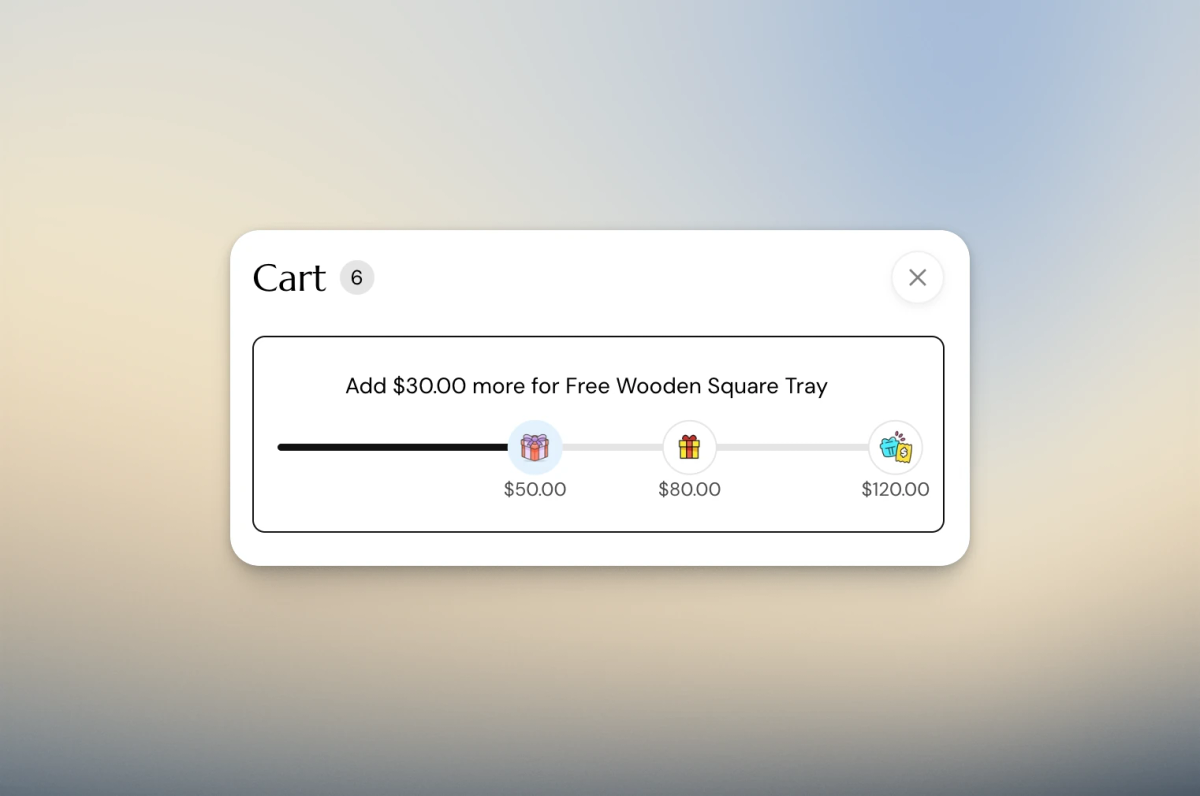
So, What Am I Building Here?
For this example, I’m gonna build a three-tier Gift With Purchase (GWP) campaign for the United States and a one-tier campaign for Canada. The idea is that each country can have its own thresholds, gifts and messaging.
United States:

US$50 → Gift A
US$80 → Gift B
US$100 → Gift C with Free Shipping

Canada:

CAD$60 → Gift A
The rewards are cumulative, so customers will receive the gifts for each tier they reach!
Set Up The Editing Experience
Before I touch the theme code to write all the logic, I first need to set up the configuration layer, and I’m gonna use metaobjects for that!
Before metaobjects, settings like these might live under Theme Settings, but that can get messy very quickly once the setup becomes more complex. With metaobjects, I can move all the non-theme-specific configuration out of the theme editor and manage it directly from the Shopify admin.
This gives merchants a much more flexible way to set up and update their free gift campaigns without touching the theme editor or the code, which means less chance of breaking the storefront!
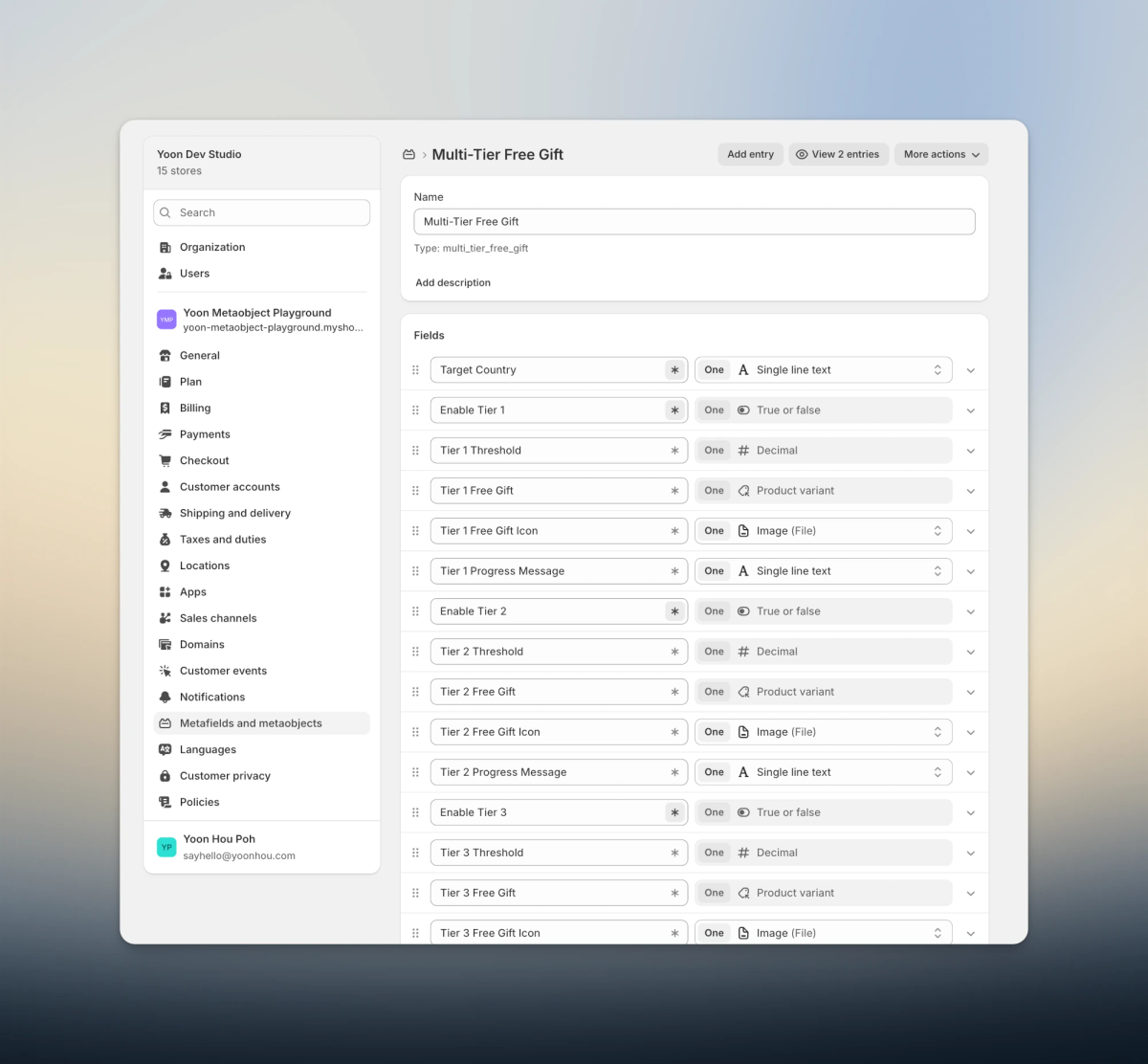
As we can see from the screenshots, I created a Multi-Tier Free Gift metaobject. Each entry represents the free gift configuration for a specific country.
Within each tier, the merchant can configure things such as:
- Whether the tier is enabled
- Spending threshold
- Free gift variant
- Gift icon
- Progress message
- Completion message
Once the metaobject definition is in place, merchants can create an entry for each country where they want to run the promotion.
Here’s an example of what a campaign could look like:
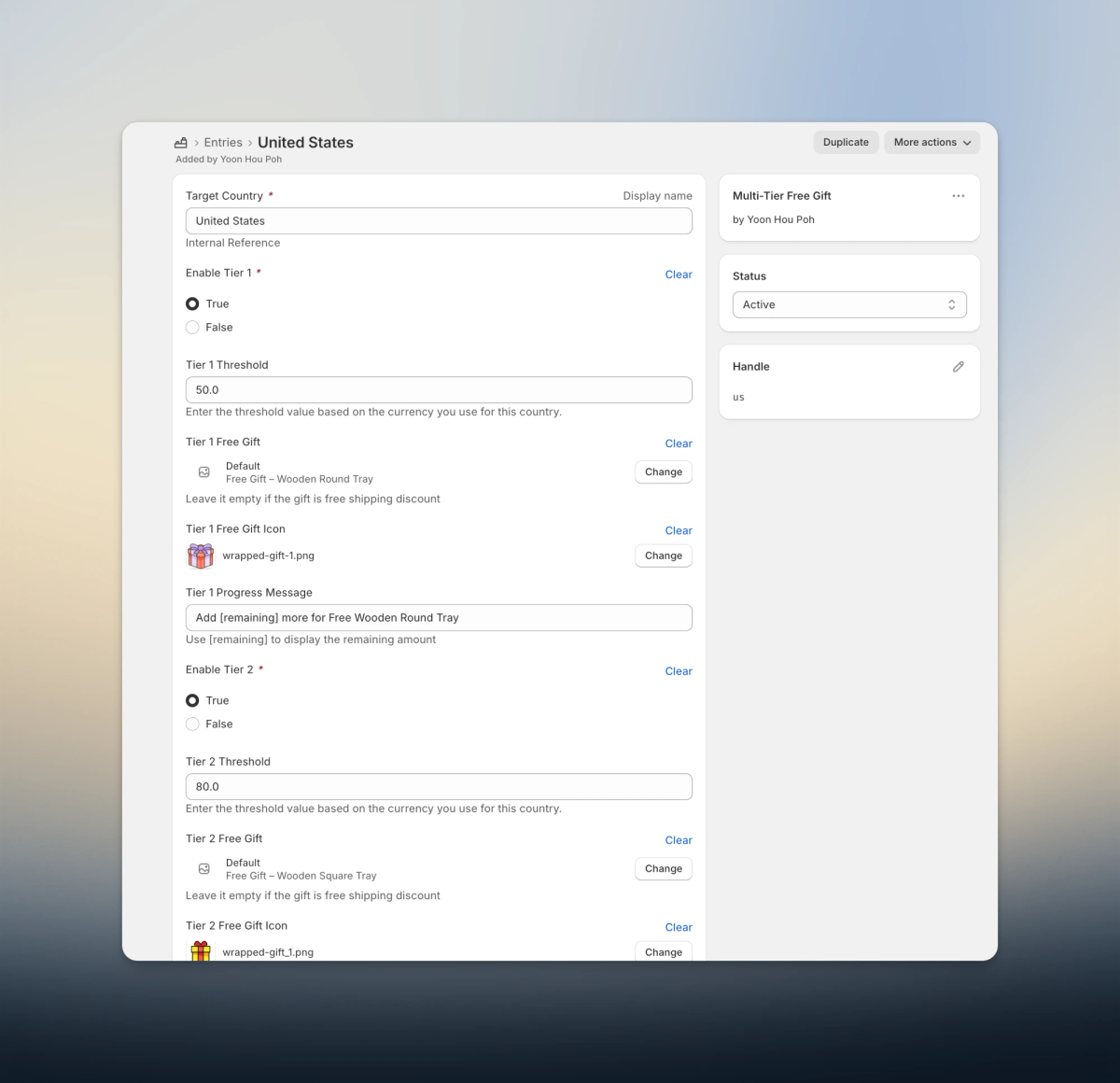
The US could have three enabled tiers at $50, $80 and $120, while other countries could use completely different thresholds, gifts and messaging.
The important part is that none of those campaign details need to be hard-coded into the storefront logic, and they can be edited from the admin dashboard directly!
How Does The Storefront Identify The Country?
Each configuration is identified by its country ISO code, such as “us” or “ca”.
I use the ISO code as the handle of each metaobject entry. On the storefront, I can then use the localization context to retrieve the appropriate configuration:
{% liquid
  assign current_country = localization.country.iso_code
  assign free_gift_config = metaobjects.multi_tier_free_gift[current_country]
%}
So instead of hard-coding separate logic for each country the architecture becomes:
Customer's country (localization object)
↓
Country ISO code
↓
Matching metaobject entry
↓
Thresholds + gifts + messaging
↓
Same storefront logic
The metaobject controls the campaign configuration defined by the merchant, and the theme controls how the campaign behaves.
What Does the Customer See?
With the correct configuration in place, I can now use that data to build the customer-facing experience.
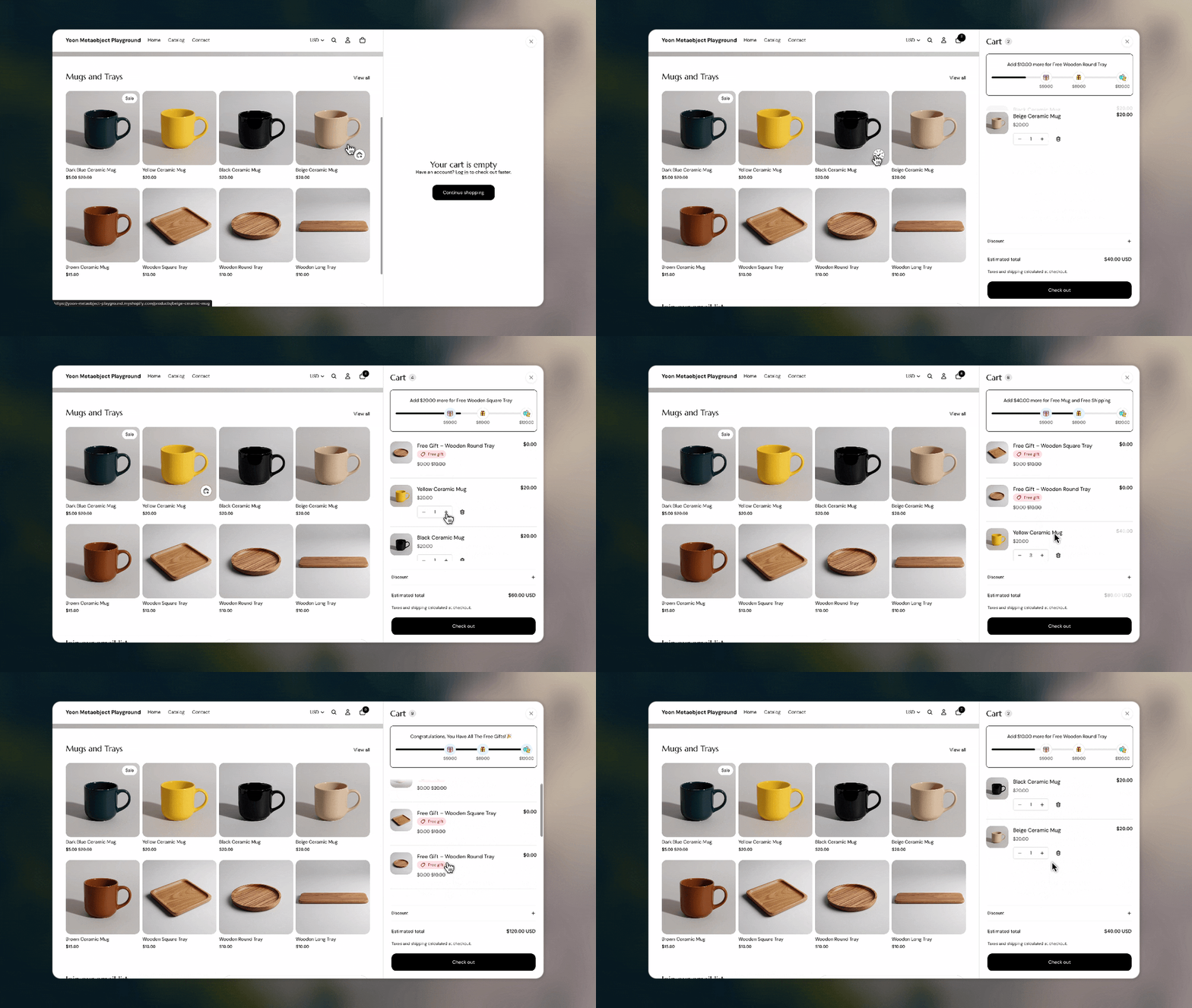
The cart shows all the available tiers and how much more the customer needs to spend to reach the next one.
As they cross each threshold, the corresponding gift is automatically added to their cart. Because the tiers are cumulative, reaching Tier 3 means the customer receives Gifts A, B and C.
The progress bar is generated based on the data merchants configure in the Shopify admin.
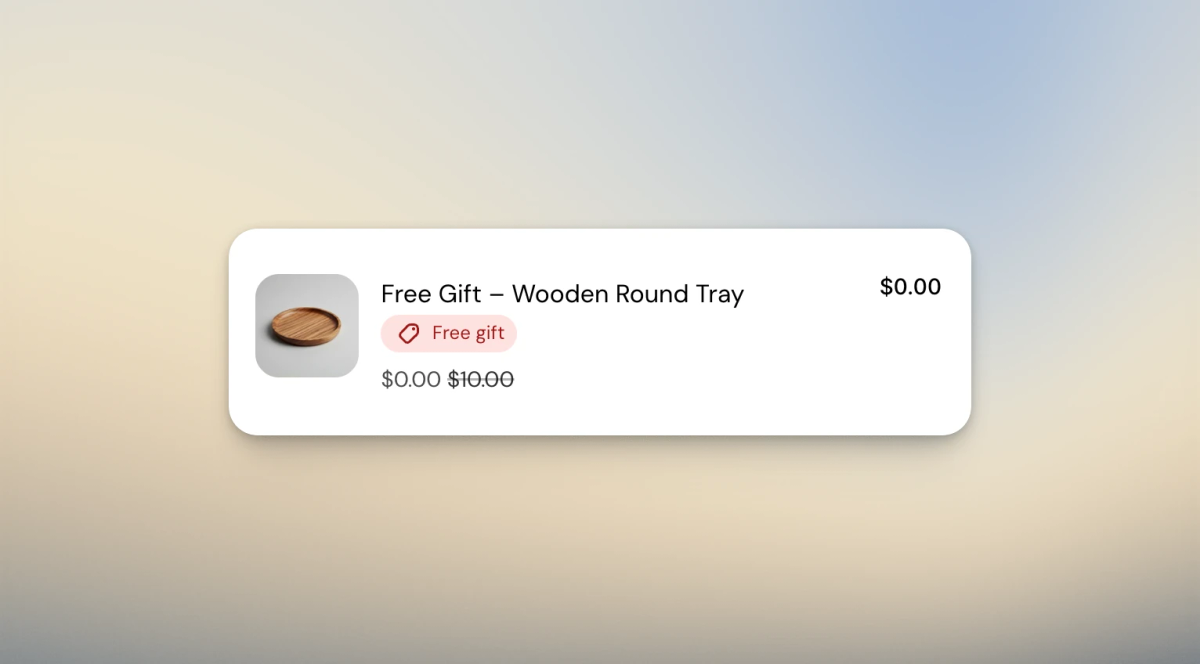
For automatically added gifts, I also remove the usual quantity and remove controls and display a Free gift badge instead.
The Free Gift Lifecycle
It’s easy to assume that adding free gifts to the cart is fairly straightforward until you actually work on it and start considering all the edge cases. Apart from adding the gifts, there are other things we need to think about, like tier changes, cart changes, country switching, etc. Bringing everything together, we need to think of the free gifts as cart state rather than a single action. Whenever the cart changes, the component needs to check the current state and make sure the correct gifts are in the cart. I refer to this process as synchronization.
Page load or cart update
        ↓
Fetch current cart
        ↓
Determine qualified tiers from the loaded configuration
        ↓
Compare against existing tagged gifts
        ↓
Add, remove or replace as needed
Identifying the Free Gifts
In order to do all sorts of validation, I need to know which cart lines actually belong to the campaign. Every automatically added gift gets a private line-item property:
const FREE_GIFT_ATTRIBUTE = '_multi_tier_free_gift';

// Tag the gift with the tier it belongs to
attributes: [
  {
    key: FREE_GIFT_ATTRIBUTE,
    value: String(tier.number),
  },
]
I can then use that property to identify the free gift lines:
#freeGiftLines(cart) {
  // Only return cart lines added by the free gift system
  return cart.items.filter(
    (line) => line.properties?.[FREE_GIFT_ATTRIBUTE] != null
  );
}
This gives my component a clear way to distinguish the cart lines it owns from the rest of the cart. The tier number also lets the component validate each gift against the customer's current eligibility and configuration.
Handling Edge Cases
Country Changes
So what happens when a customer changes countries? Let’s say from the US to Canada.
Once the storefront loads in the Canadian localization context, I get the Canadian configuration and reconcile the existing cart against it.
This means I have to consider all these possibilities:
1. Same tier + same gift → keep it
2. Same tier + different gift → replace it
3. Threshold no longer reached → remove it
4. Tier isn't available → remove it
5. No campaign for that country → remove the promotional gifts
There's also one small detail here that is easy to overlook: even when a country has no GWP configuration, the logic is still running in a hidden state. There might not be a progress bar to show, but something still needs to run and clean up gifts left in the cart from the previous country.
Fast Cart Updates
Another problem appears when multiple cart updates happen quickly. The component reads the current cart to figure out whether it needs to do anything about the free gifts. Imagine two synchronization runs both reading the same old cart:
Sync A reads cart → Gift A is missing
Sync B reads cart → Gift A is missing

Sync A → Add Gift A
Sync B → Add Gift A
To prevent different synchronization runs from competing with each other, I added a shared static Promise queue to the component:
static syncQueue = Promise.resolve();

const task = MultiTierFreeGift.syncQueue.then(
  () => this.#getAndSynchronizeCart()
);

MultiTierFreeGift.syncQueue = task.catch(() => {});
Each synchronization waits for the previous one to finish before fetching the cart again. That means the second run gets to work with the state produced by the first rather than making another decision from stale cart data.
Don't React to Your Own Updates
There's another lifecycle problem: the component itself updates the cart.
The free gift logic listens for cart changes so it knows when eligibility needs to be recalculated. But adding a gift also creates a cart change.
Without accounting for that, we could end up with an infinite loop here:
Cart update
    ↓
GWP synchronization
    ↓
Add gift
    ↓
Cart update
    ↓
GWP synchronization
    ↓
...
When the free gift component performs its own cart update, I label the action with its source:
event: {
  context: 'standard-action',
  detail: {
    source: 'multi-tier-free-gift'
  },
}
When that update comes back through the cart event, the component knows that it originated from itself and can ignore it.
This becomes particularly important when a configured gift is unavailable. Otherwise, the component could repeatedly try to add a product that Shopify won't accept.
These are small details, but they're also why I think about this as cart state rather than simply auto-adding a product.
A Few Limitations
This approach isn't intended to replace every dedicated GWP app.
If a merchant needs complex campaign scheduling, analytics, lots of promotion types, customer gift selection or campaigns that change constantly, an app may still make much more sense.
Final Thoughts
What sounds like a fairly simple requirement – automatically add a free gift when the customer spends X becomes much more interesting and complex once we account for multiple tiers, different countries and a cart that's constantly changing.
The individual pieces aren't particularly complicated on their own.
The important part is how they work together: metaobjects provide the configuration, Shopify's localization context selects the right campaign, private cart-line properties identify the promotional gifts, and the synchronization layer keeps the cart in the correct state.
Instead of building a one-off free gift script, we end up with something that's configurable for the merchant, predictable for the customer, and easier to maintain as the campaign changes.